
How to Find and Delete Duplicate Photos on Android (Without Losing Originals)
September 13, 2026
Open the gallery on a phone that has been around for a year and you will see it. The same dinner, twice. A WhatsApp save sitting next to the camera original. A screenshot of a screenshot. Storage fills up with copies nobody sat down and decided to keep.
Android is not glitching. Apps just like to keep their own files.
WhatsApp writes incoming pictures into WhatsApp Images, separate from DCIM/Camera. Telegram does a similar thing. A cloud backup can re-download a library into Downloads. Share a photo through another app and you often get a compressed extra sitting beside the original. Copy a batch off an SD card and both folders can still be there a week later.
None of that feels urgent until you are hunting for space and realize a chunk of the library is the same file living in two places.
Scrolling the gallery does not catch them
I used to try the manual way. Open an album, squint at thumbnails, delete the obvious twins. That works for a weekend trip. It falls apart once the library is a few hundred pictures.
The copies hide. One lives in the camera folder. The twin is in WhatsApp Images, or Pictures, or a folder a backup app made last spring. Same pixels, different path. Your eyes will miss it, and so will a search that only looks at filenames.
What you actually want is a check of the file itself. If two photos are the same bytes, they are duplicates. If they only look similar (same street, different afternoon), that is a different problem, and a different scan.
Purgli’s Exact Duplicates pass is that file check. It runs on the phone. Nothing is uploaded.
How to find the duplicates
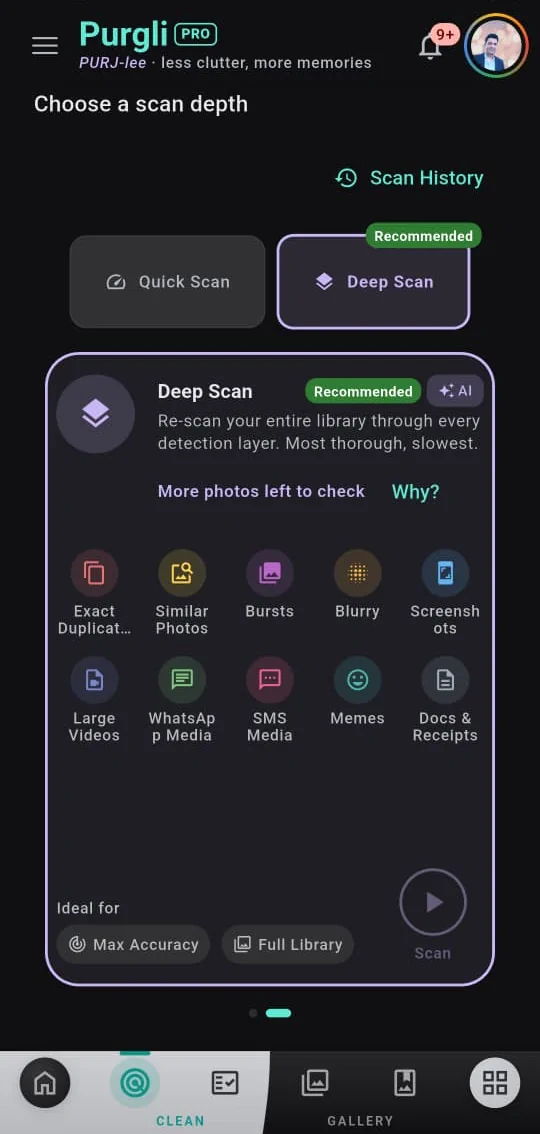
- Open Purgli and go to Clean. Quick Scan looks at your newest photos for duplicates (and blur). Deep Scan walks the whole library. If you have never cleaned this phone, Deep Scan is the one you want.
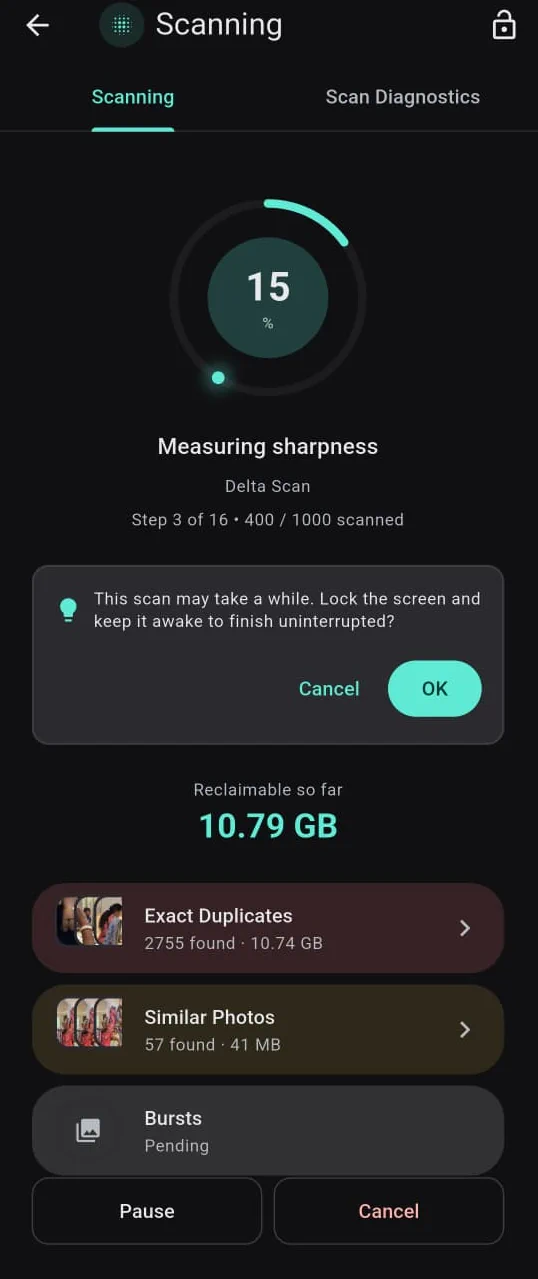
- Let it run. Category counts and reclaimable space tick up while it works. For a long Deep Scan, keep the screen awake so the job can finish. You can pause or cancel if you need the phone back.
- Open Smart Review and tap Exact Duplicates. Matching files are grouped together even when they sit in different folders.
- Keep one copy in each group. Purgli starts with the oldest file as the keeper. You can switch that if you would rather keep the camera-roll copy and bin the WhatsApp one.
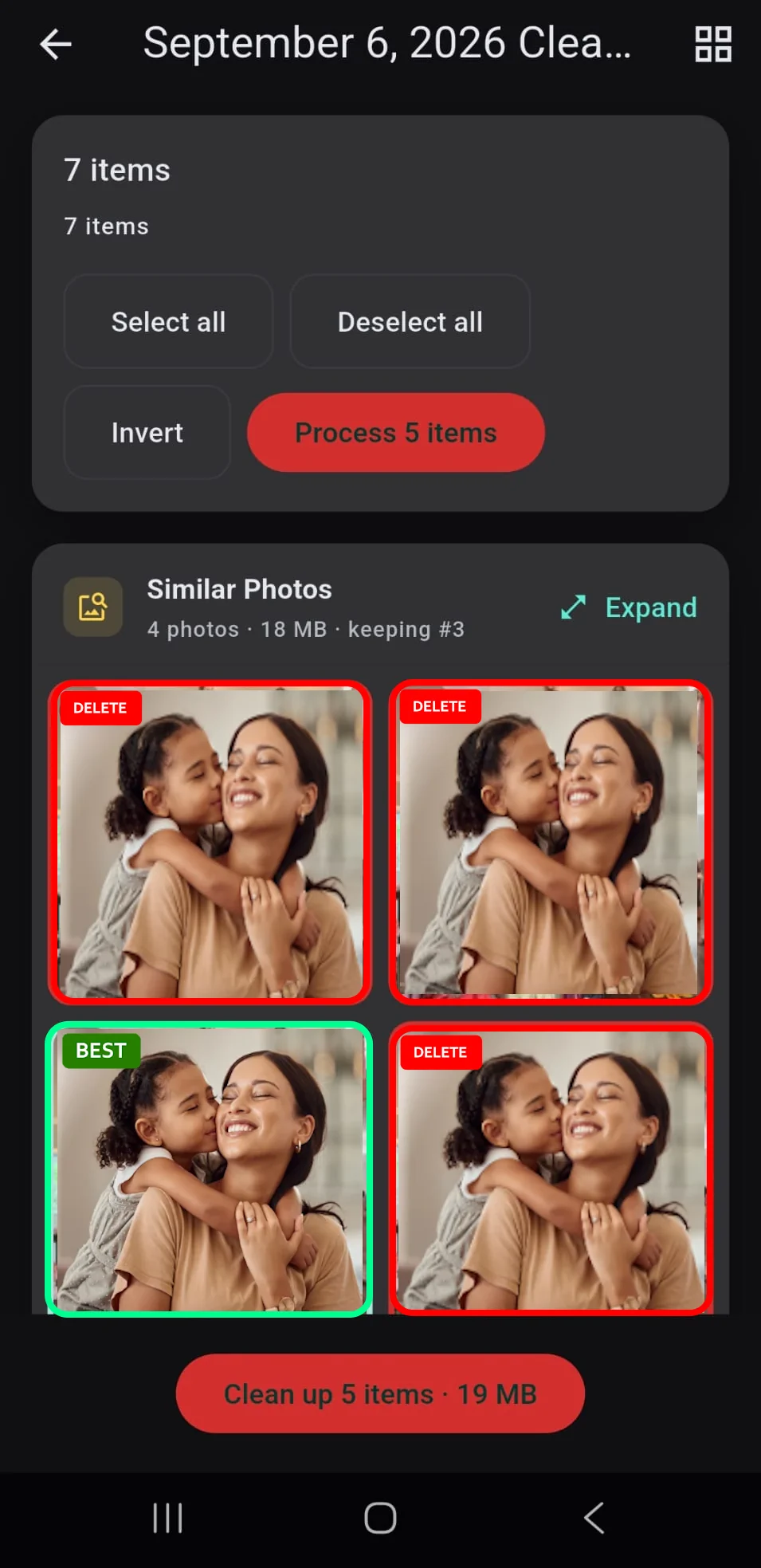
Because the match has to be exact, two photos of the same kitchen on different days will not get lumped together. Only true copies get flagged.
Delete them without the panic
The part people stall on is the delete button. Fair.
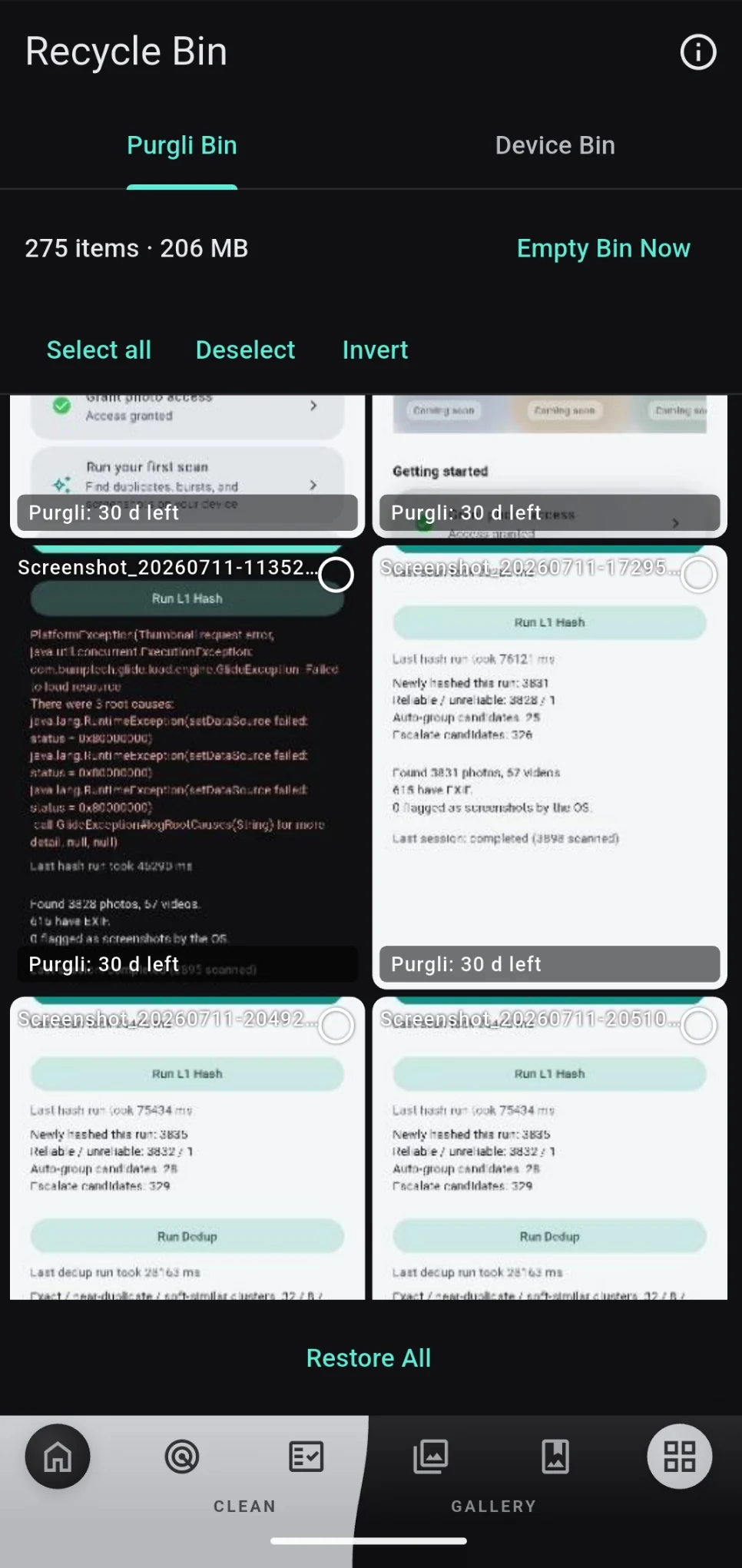
Purgli never wipes a photo from the library in one tap. Everything you remove lands in a Recycle Bin for 30 days. If you picked the wrong twin, restore it from there. After 30 days the bin can let it go, and only then. Nothing disappears as a silent background job.
That is why bulk cleanup is actually reasonable. You can clear a pile of duplicate groups in one sitting and still have a month to notice a mistake.
Is this free?
Exact duplicate detection and deletion is free. So is the Recycle Bin. You do not need an account. Scanning and browsing every category stays free too.
Similar photos, blur, and picking the best shot from a burst sit behind Purgli Pro, or the trial. Those are “looks like” problems, not “is the same file” problems. If all you want is to drop the extra copies, you never have to pay.
After you clean it once
Duplicates are a boring storage win, which is the point. Scan, review the groups, send extras to the bin, leave the originals where they are. If something feels off, you have 30 days.
Get Purgli on Google Play, or read how Smart Scan and the Recycle Bin work.