Purgli
Menu

Release history

What's new in Purgli

Feature launches and the benefits they bring — not the engineering log. Screenshots for the big stuff; short notes for the rest.

RSS feed

Latest: 1.2.0·WhatsApp cleanup, sharing, and a daily tidy

1.2.0UpdateAndroid

WhatsApp cleanup, sharing, and a daily tidy

·Permalink

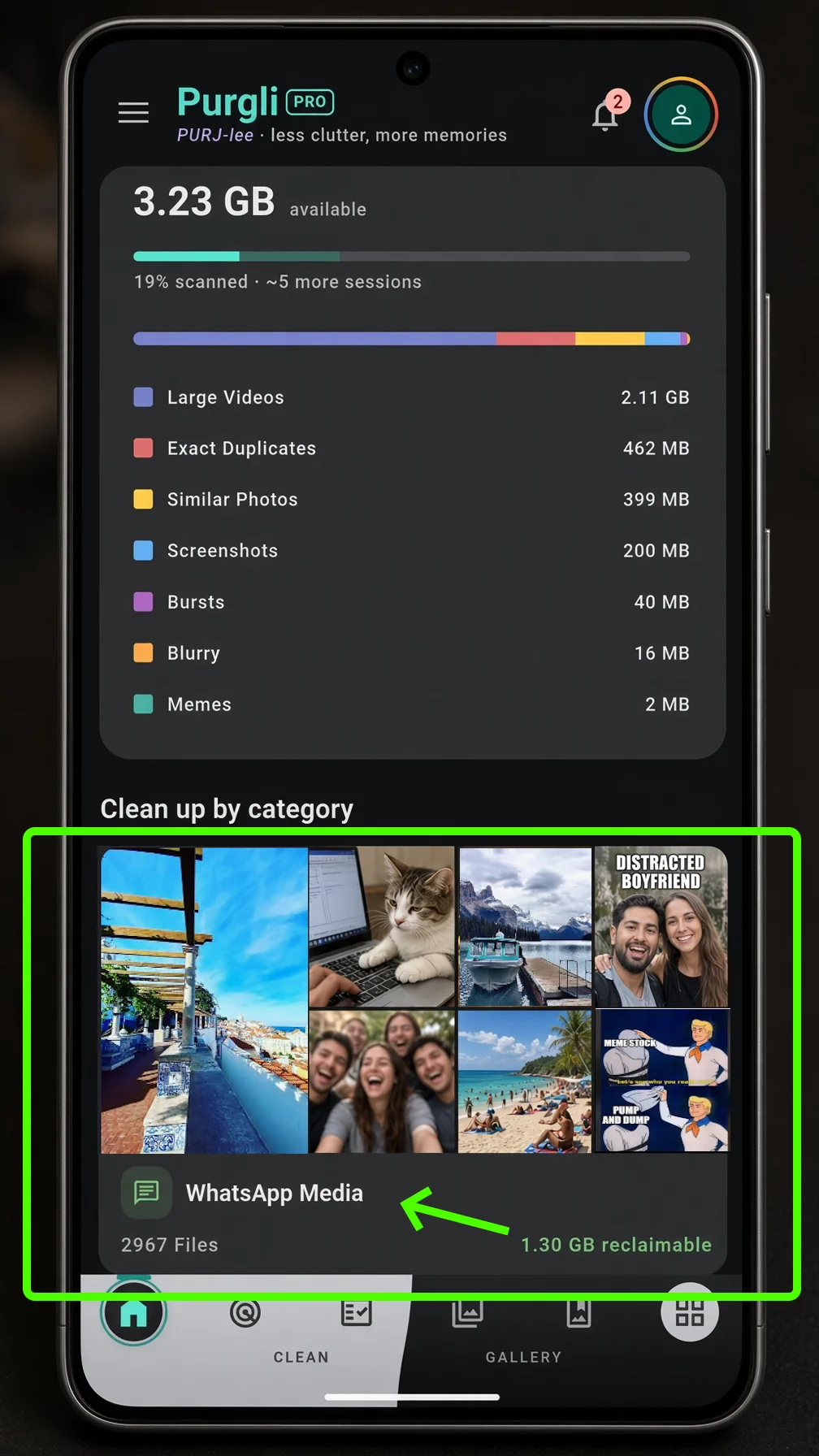
Purgli Home with WhatsApp Media under Clean up by category, showing reclaimable space
WhatsApp Media is its own tile on Home, with how much space you could get back.

This release is about keeping the library from filling back up after you clean it. WhatsApp folders, a share-in path from other apps, and a small daily tidy — every pass still runs on this phone.

WhatsApp Cleanup Hub

WhatsApp saves photos and videos into its own folders, separate from Camera. The new hub lets you browse them by time, filter videos, select a whole row, and move or delete. Your chats stay untouched. Free on Android.

How WhatsApp cleanup works→
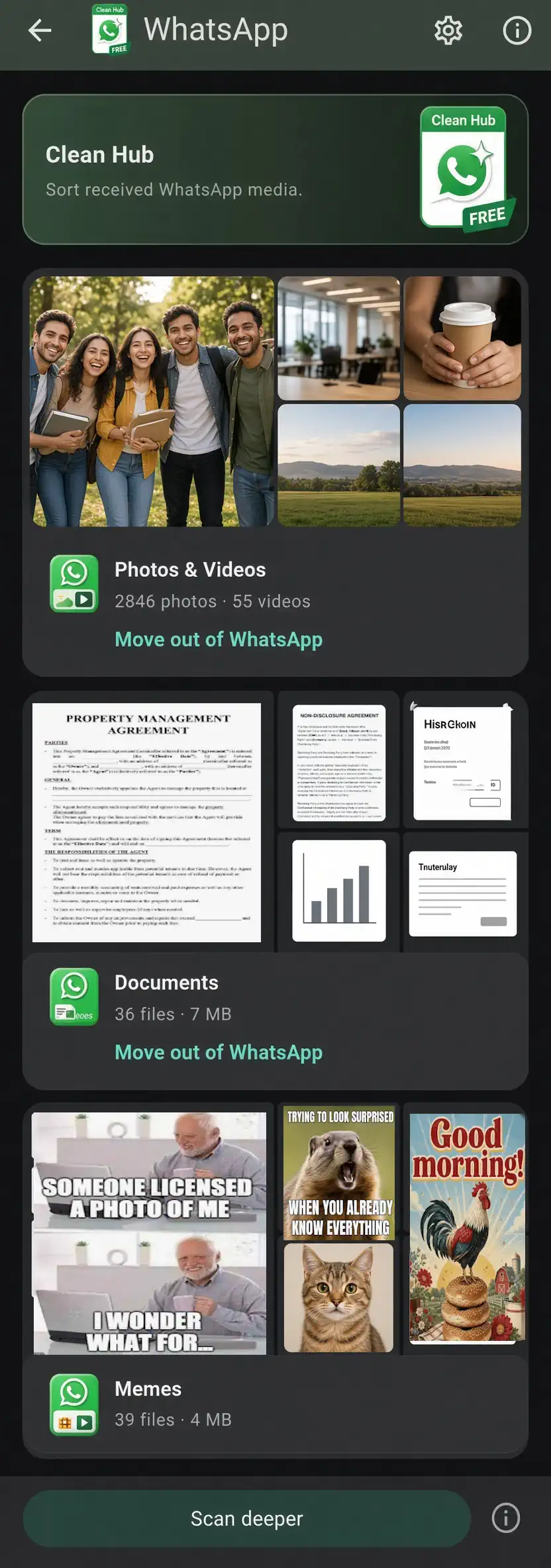
Purgli WhatsApp Media review grid with Select all and a cleanup bar
Select shot by shot, or clean a whole row. Deletes go to the 30-day Recycle Bin.

Share into Purgli

Send a photo or video from another app with the system share sheet. Purgli opens a preview so you can file it, without uploading anything.

Today's Tidy

A Home card and gentle reminders suggest a small cleanup each day, so the library does not pile up again after you have already cleared it.

Quicker albums

Create an album from Home in one tap, then pick photos to add. Less tapping between “I want this grouped” and an album you can actually open.

Your library, sorted→
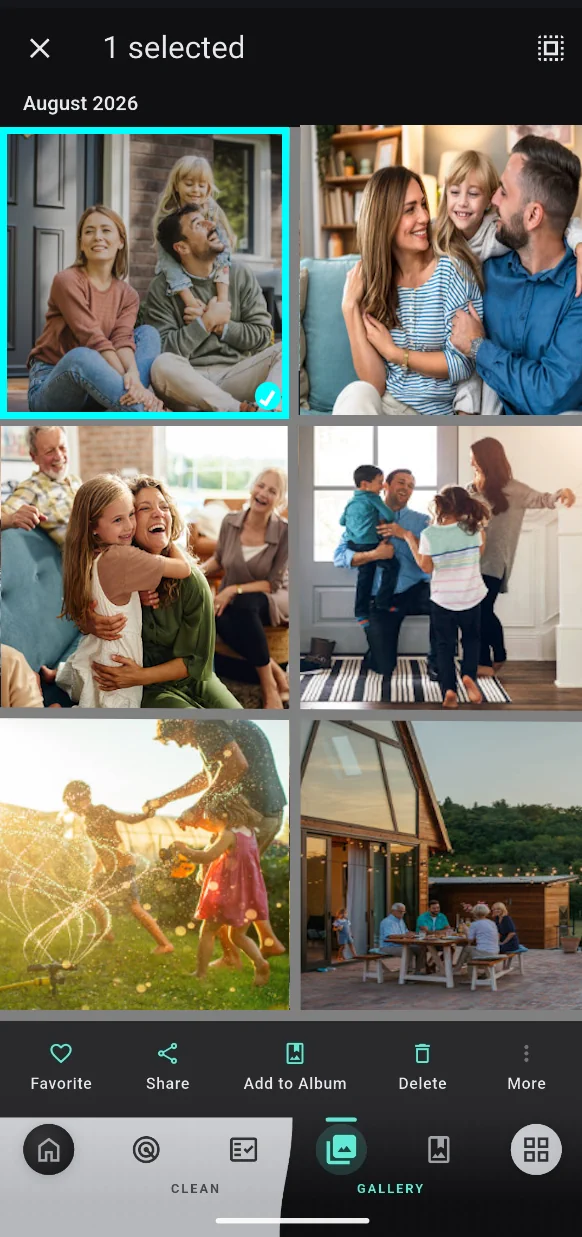
Purgli Photos grid grouped by month, with Favorite, Share, and Add to Album
Long-press to select, then add to an album — still on this phone.

Also in this release

  • ✓Sharper document, meme, and face-quality detection when you run a scan.
  • ✓Smoother scanning and review on Android.
  • ✓Recycle Bin and category review hold their place more reliably.
1.0.0LaunchAndroid

Purgli is here

·Permalink

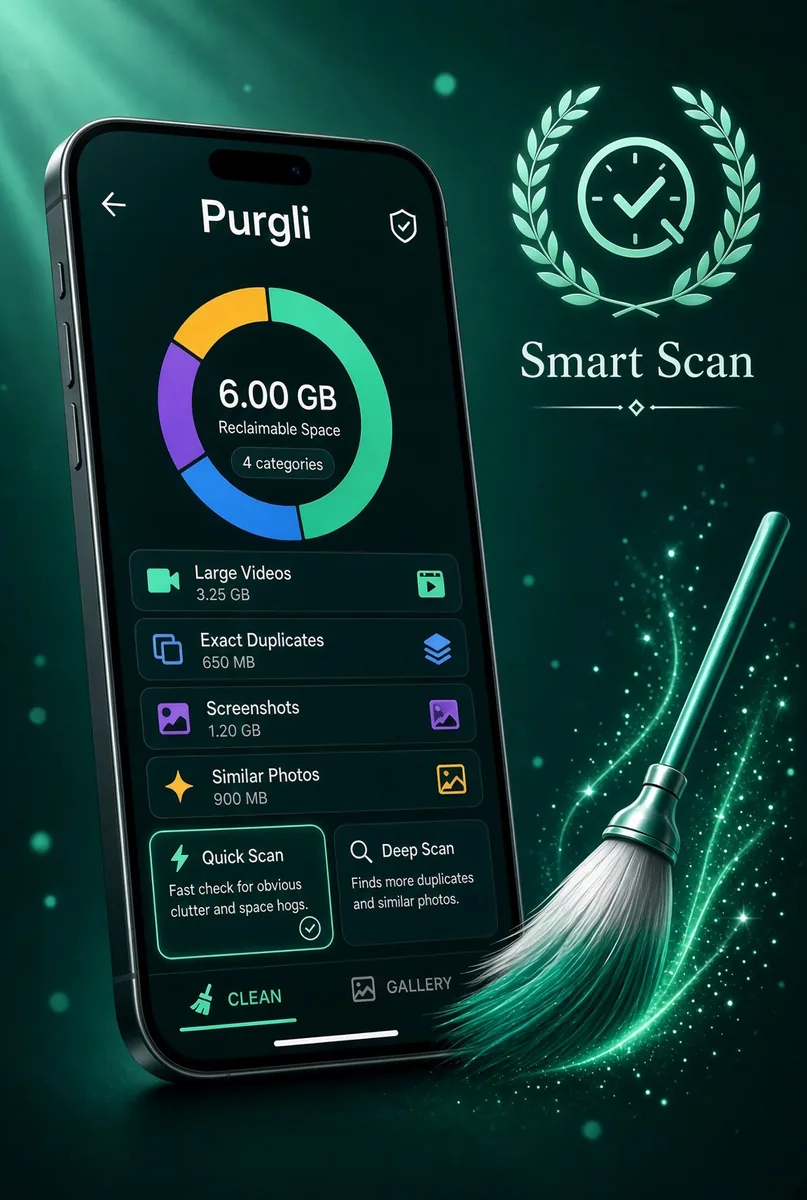
Purgli Smart Scan splash, with a phone showing live scan results

Purgli launches as an on-device photo cleaner and studio. Scan the library, review clutter, and keep a 30-day Recycle Bin — without sending a photo anywhere.

Smart Scan, on this phone

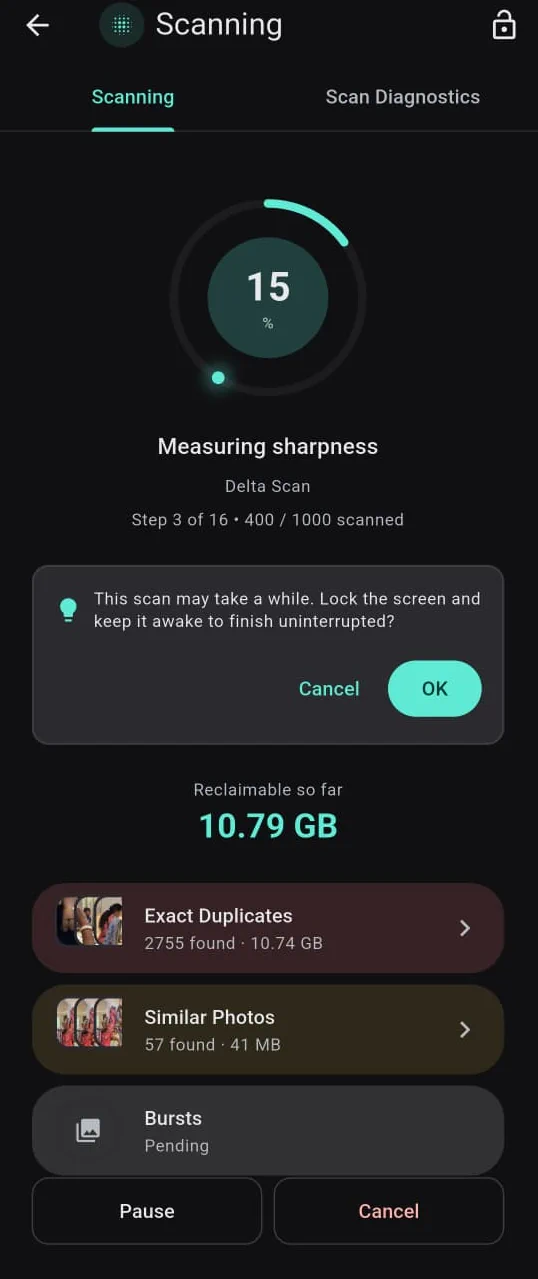
Purgli reads your library on-device and finds exact duplicates, similar shots, blur, bursts, screenshots, memes, documents, and chat media. Scanning and browsing stay free. Nothing is uploaded.

How Smart Scan works→
Purgli scan in progress with live category counts and reclaimable space
Live counts and reclaimable space tick up while the scan runs.

Review your way

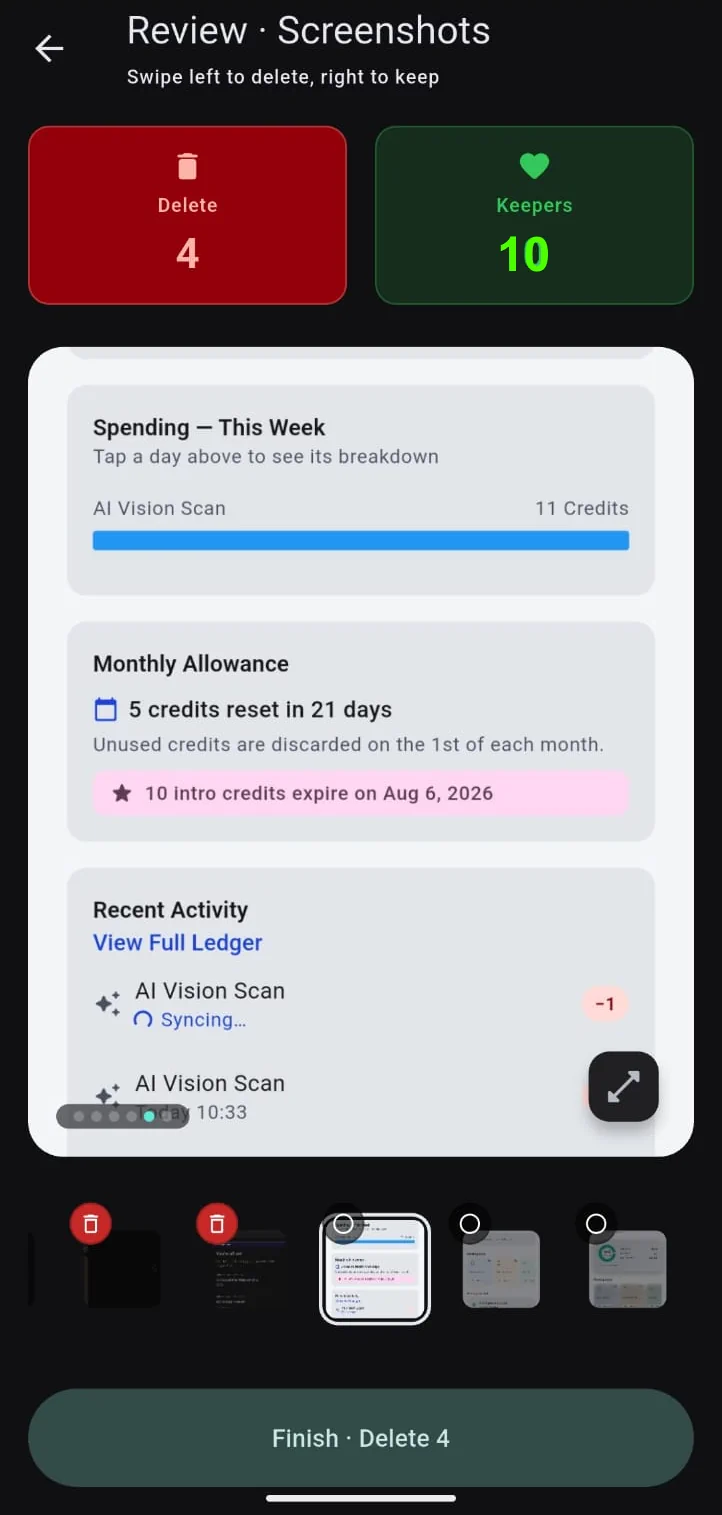
Swipe one photo at a time, or work a grid in bulk. Exact duplicates, screenshots, large videos, and WhatsApp/SMS media are free to clean. Advanced categories open review or Pro.

Swipe to Clean→
Purgli swipe review, with keep or delete on a single photo
Left to bin, right to keep. Finish sends deletes to the Recycle Bin.

A 30-day second chance

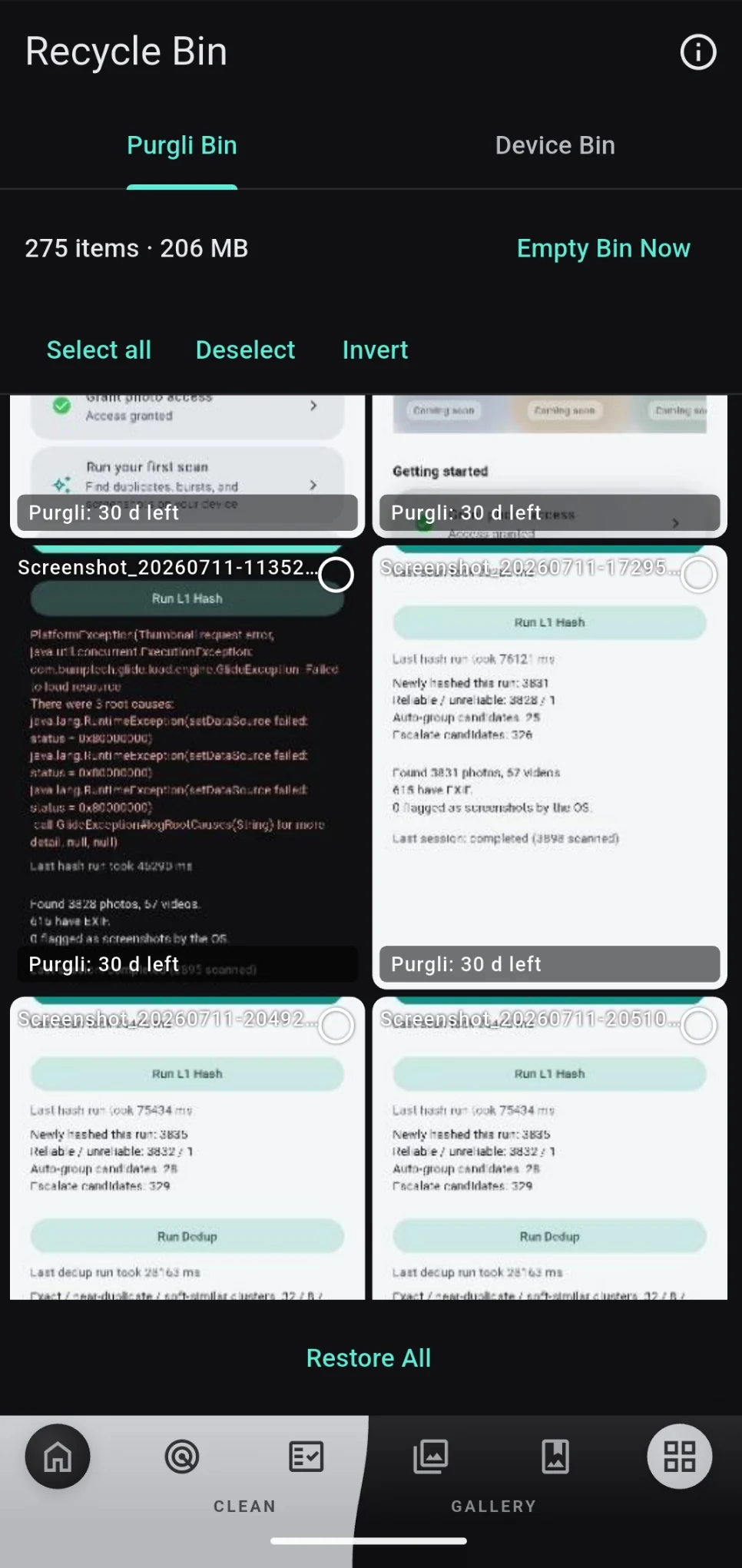
Nothing is gone on tap. Cleaned items rest in the Recycle Bin for 30 days, so you can restore anything you second-guess.

Recycle Bin→
Purgli Recycle Bin holding deleted photos for 30 days

Studio tools, still local

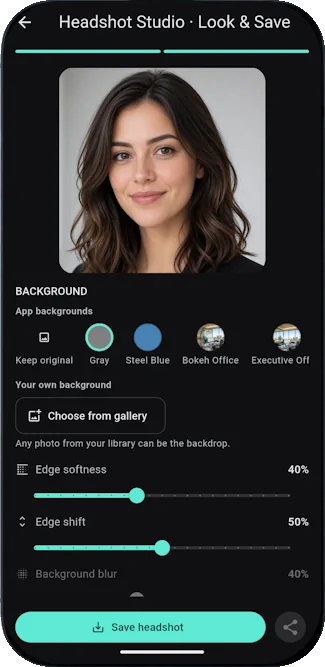
After you clean, polish keepers on the same phone — headshots, passport photos, photo books, and Scan to PDF. Preview is open; some saves are Pro.

Explore features→
Purgli Headshot Studio Look and Save, with studio background options
Look & Save runs on this device. The original photo stays put.

Also in this release

  • ✓Hide private shots in the Vault (adding is Pro; opening and unvaulting stay free).
  • ✓Works fully as a guest — no account required to scan or clean free categories.
  • ✓Optional sign-in keeps Pro across a reinstall.

Try it on this phone

Scanning stays on-device. Android is on Google Play; iOS is coming soon.

Get it onComing soon on theApp Store