
The Digital Mountain Behind Every Concert Night
October 3, 2026

Right when the chorus hits, your hand goes up. You’re not alone. Thousands of people do the exact same thing at the exact same second. Suddenly the arena lights up with thousands of glowing screens, all capturing the same highlight from slightly different seats. It’s a beautiful shared impulse, but the real story begins after the encore, when all those nearly identical 4K clips quietly march into the cloud and start living there.
You probably filmed one of those clips too, maybe from the nosebleeds, maybe from the pit. And if you’re honest, you haven’t watched it since.
When the lights fade and everyone heads home, the real show begins inside the cloud.
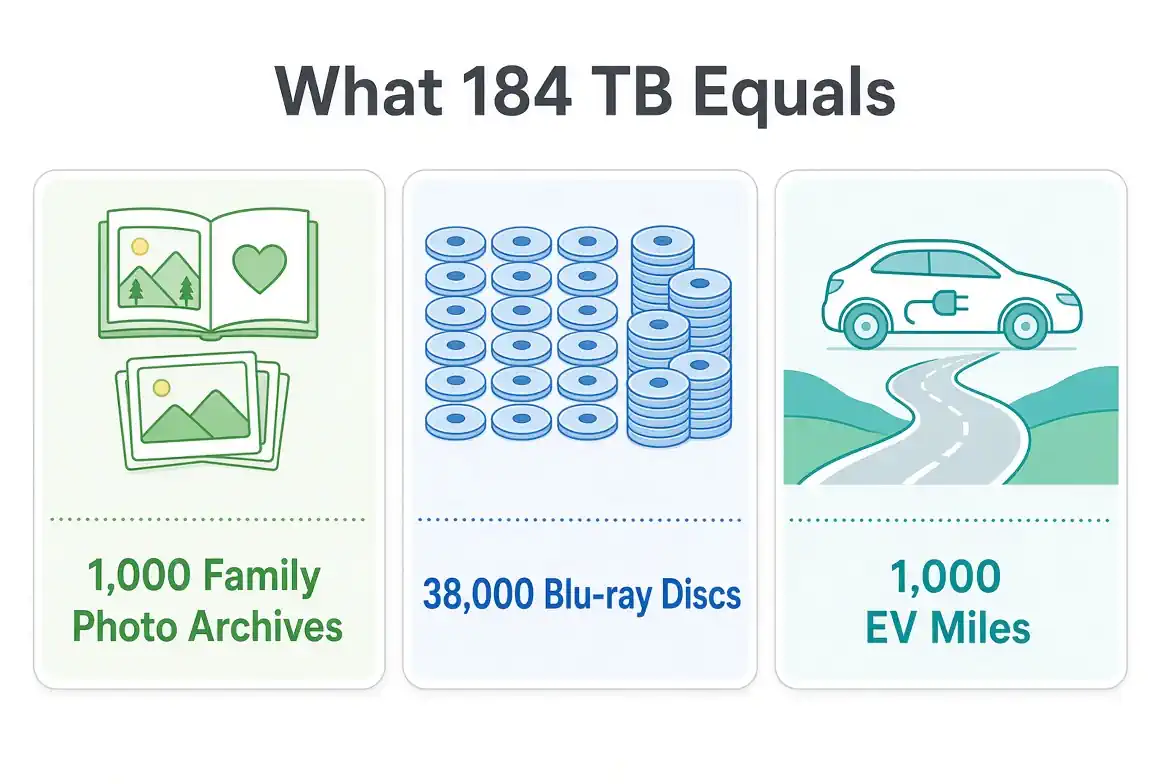
Here’s the part nobody thinks about: every one of those clips becomes data. And data doesn’t just disappear. It lives somewhere, on real hardware, using real electricity. The figures below are a scenario, not a measurement of a specific tour. The baseline is 70,000 people, 50% of them filming 30 minutes of 4K30 (about 175 MB per minute). On those assumptions the arena records about 184 TB in one night, more data than 1,000 families’ entire photo archives.
- The lifetime photo and video archives of about 1,000 families.
- About 1,100 phones with 128 GB of storage, filled up.
- About 7.3 years of nonstop 1080p video at 5 Mbps, for one person.
- About 1,433 discs of 100 GB, the size of a triple-layer 4K Blu-ray.
- About 72 million scanned pages, at about 2 MB a page.
- About 43,943 full charges of a 12 Wh phone.
- About 1,582 miles in an electric car, at 3 miles per kWh.
- About 6% of one full-height server rack (about 125 drives).
Where does 184 TB go after the encore?
Not every clip leaves the phone. The baseline uploads 60% of what was filmed, about 110 TB.
Cloud photo libraries usually do not keep three full copies. The default here is 1.3× overhead, in the range of erasure coding. That is about 143 TB of capacity, roughly 8 disks of 20 TB each. Those are not drives purchased for one concert. They are a share of capacity that already exists.
The electricity for keeping that capacity spinning is the modest part. At 7 watts per disk and a data-center PUE of 1.2, holding this backup is about 527 kWh/yr for each year it stays stored, about 18 days of one US home's electricity. Keeping those clips online is like leaving a tiny appliance running forever, except it’s your forgotten videos. That figure is idle storage power only. It does not include filming, the upload, or playing the clips back.
Here’s that number another way: About 1,582 miles in an electric car, at 3 miles per kWh. The math is simple. Divide the kWh by about 3 miles per kWh, a typical EV’s efficiency, and the distance falls right out.
Raising the upload share or the redundancy grows what gets stored. Audience size, filming time, and the 50-show button scale filmed, uploaded, and stored together.
What happens when you multiply that by a 50-show tour?
Seven watts a drive is easy to shrug off. Now imagine that same night, repeated fifty times. The same chorus, the same angles, the same clips, multiplied into a mountain of data. The same assumptions across 50 shows store about 7,166 TB. Read that one pile a few ways:
| What it compares to | 50-show scenario |
|---|---|
| Family footprint | The lifetime photo and video archives of about 48,000 families. About 56,000 phones with 128 GB of storage, filled up. |
| Hardware | About 359 disks of 20 TB each. About 2–4 full-height server racks (about 100–150 drives each). |
| Idle energy | 26,366 kWh/yr each year the backup stays, about 2.5 years of one US home's electricity. About 79,098 miles in an electric car, at 3 miles per kWh, about 3.2 times around the Earth. |
| Phone charges | About 2.2 million full charges of a 12 Wh phone. That is idle storage power, not the energy of filming or playback. |
| Binge time | About 364 years of nonstop 1080p video at 5 Mbps, for one person. |
| On a shelf | About 71,663 discs of 100 GB, the size of a triple-layer 4K Blu-ray. About 3.6 billion scanned pages, at about 2 MB a page. |
That energy is still idle disk power. It does not include filming, the upload, or playback. One night is about 18 days of one US home's electricity. The tour is the same night, fifty times, kept so duplicate angles of the same songs stay online.
A clip you will not watch
Be honest. When was the last time you rewatched that 45-second, wind-muffled 4K chorus from two years ago? Let’s be real: half of these clips sound like a hurricane and look like a flashlight fight, but they still sit in your cloud forever. Most of these clips sit in a backup, unopened, quietly sipping electricity. Some people do go back. A few seconds of a favorite song can bring the night back, and a short clip is much more likely to be watched than a long, shaky recording of the whole show. That’s the stuff that becomes disks.
I filmed a dozen clips at a show last year. I’ve watched exactly none of them since.
If you want to film, go for it. Just grab the moment you actually care about. Lower the brightness, skip the flash, keep the phone below eye level. Then prune before the photo library syncs. Your future self (and whoever’s standing behind you) will thank you.
The simple habit: clean up before the backup runs
You do not have to put the phone away. Before an automatic backup runs, a quick scan on the device can clear blurry shots and exact duplicates you will not watch. It’s like rinsing your dishes before they go in the dishwasher, a tiny habit that saves a lot of mess later. Purgli does that on the phone, and you keep the clips you want. Large videos and exact duplicates are free to review. Anything you delete sits in the 30-day Recycle Bin before it is gone for good.
If you film, film intentionally, and clean up before your backup runs.