Free forever
Scan to PDF
Convert your documents to searchable PDFs instantly.
In the app·Home → Pro Edits → Scan PDF
Walkthrough
3 steps to a searchable PDF
Align the page, enhance it, and export — processed entirely on your phone.
1
Point your camera at a document
Open Scan PDF from Home → Pro Edits. Align the page in the frame — or import a photo you already took.
2
Auto-crop & enhance
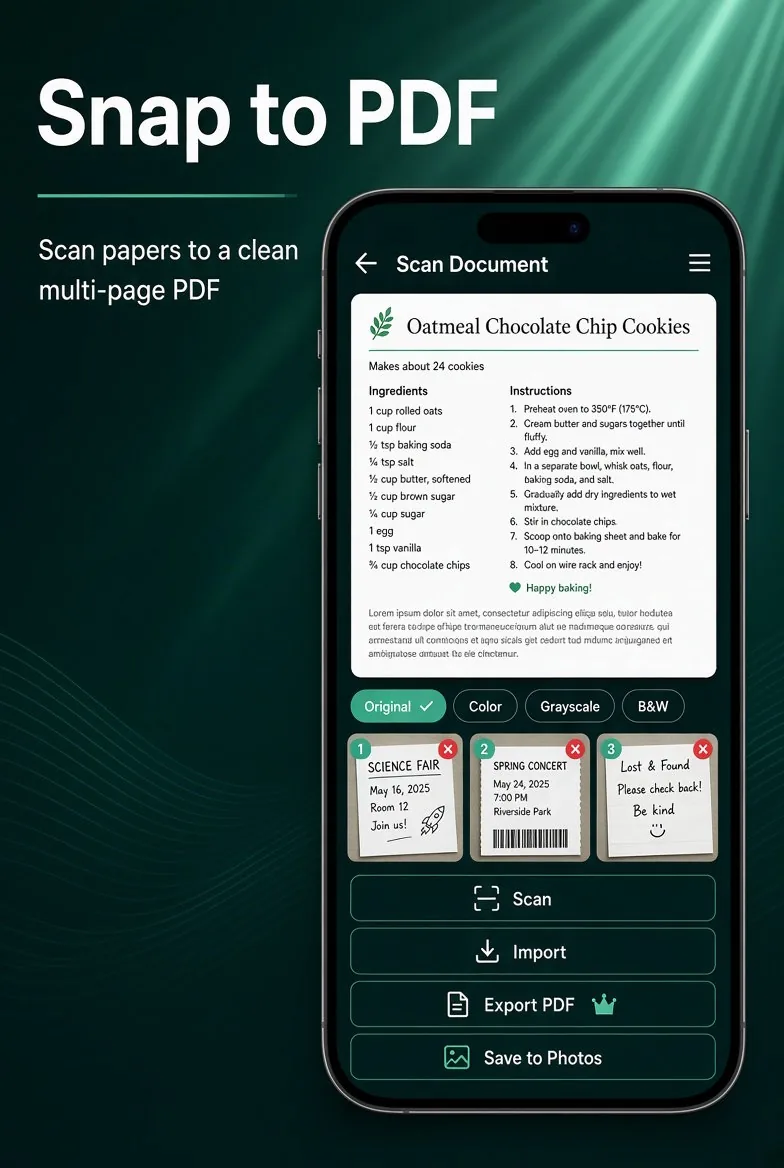
Purgli detects edges, crops, and enhances the page. Switch Original, Color, Grayscale, or B&W, and nudge the crop if a corner is off.
3
Save or share a searchable PDF
Add more pages from the strip, then export a searchable PDF or save the scans to Photos — processed entirely on your device.
Try Scan to PDF on your phone
Scan to PDF runs entirely on your device — no document or photo ever leaves your phone.
Download Purgli