Pro
Before You Share
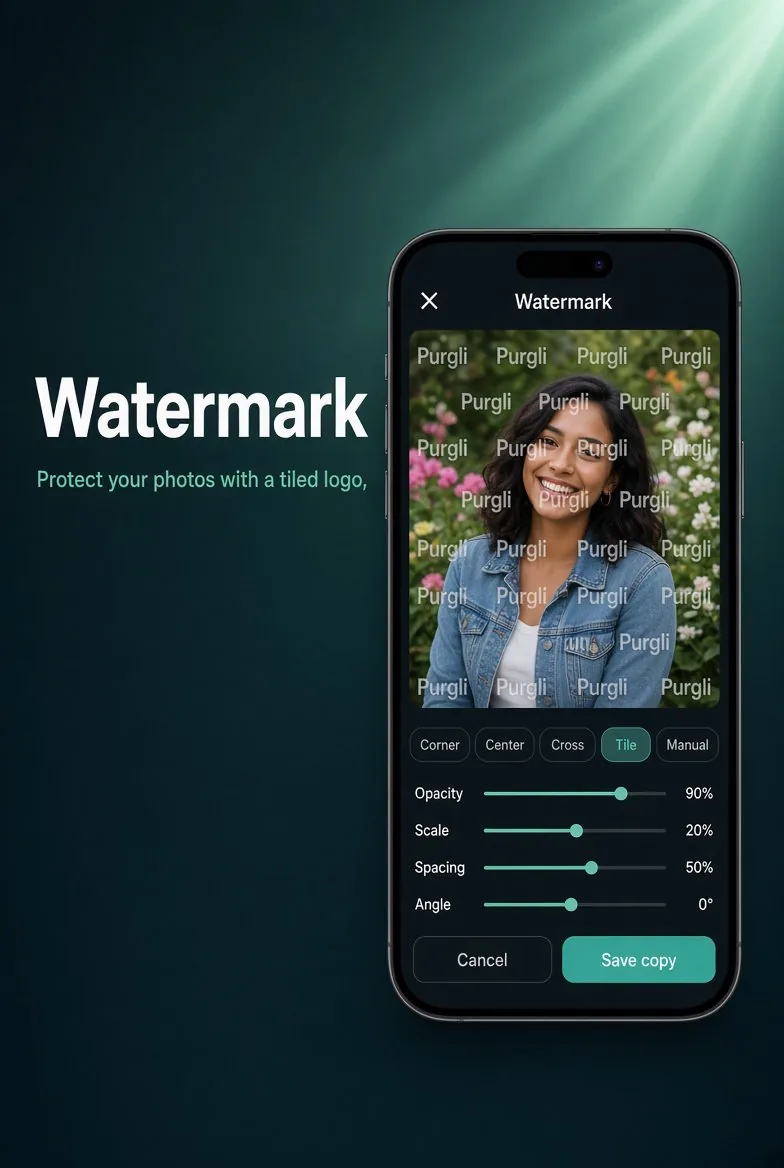
Tile your mark across any photo before you send it.
In the app·Home → Pro Edits → Watermark
How it works
On this device. In a few taps.
Pick or create a logo, then choose a placement (corner, center, cross, or tiled). Adjust opacity and scale, preview, and save as a new copy.
Try Before You Share on your phone
Before You Share runs entirely on your device — no document or photo ever leaves your phone.
Download Purgli